
Repeated Course for Credit Grade Suppression is a process that replaces a previously stored failing grade with a new stored grade. Local boards of education may develop policies that define specific circumstances when students other than those who fail a course may repeat a course for credit. The steps below provide guidance on updating the suppressed grade for an individual transcript record.
Navigation: Select Student > Student Information > General > Transcripts
- Select the transcript grade that should be suppressed.
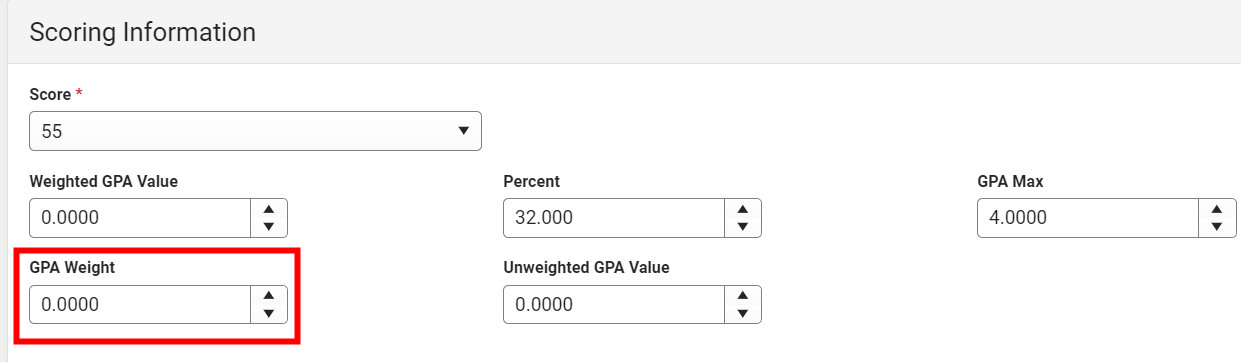
- Locate the Scoring Information section and update the GPA Weight to 0.
- Locate the Transcript CreditInformation section and update the following fields:
- Credits Earned = 0
- Credits Attempted = 0
- Credit Type = Suppressed

- Click Save to update the suppressed transcript grade.
The suppressed grade should no longer display on the NC Official Transcript report.
School Standard Setup
If the suppressed grade is still showing on the NC Official Transcript report, follow the steps to see if the School Standard Setup is correct.
Navigation: Grading & Standards > Standards Setup > School Standard Setup
The SU credit group should be unchecked.


