Create Summer School User Group
Navigation: User Management > User Groups > Add User Group
- Click New.
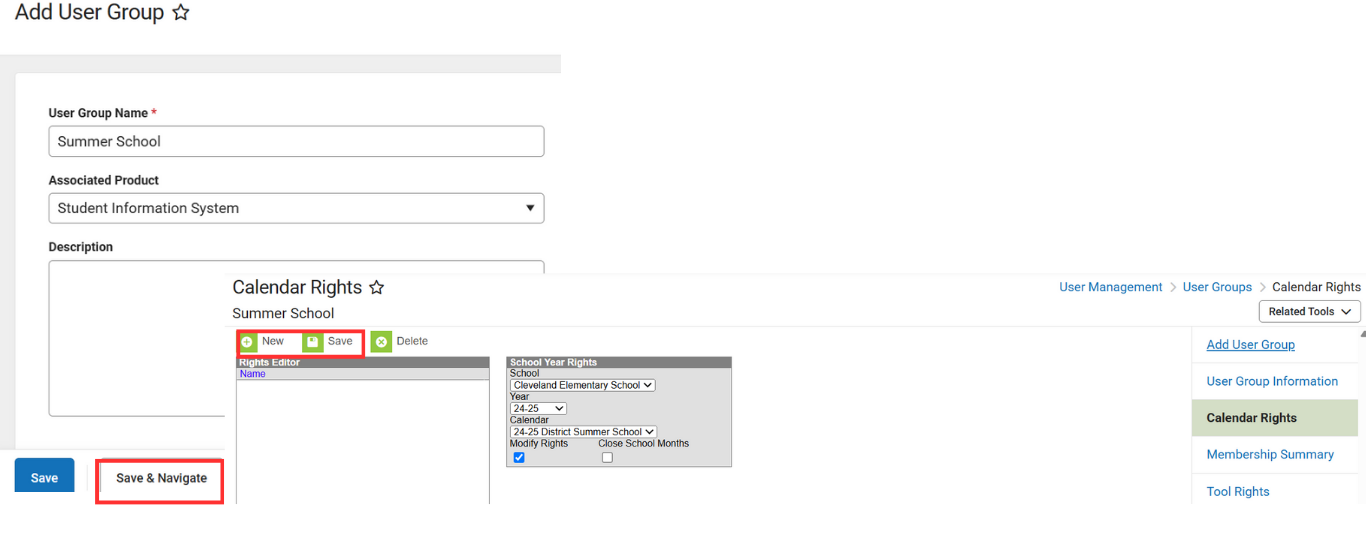
- Enter User Group Name.
- Leave associated product as Student Information System.
- Click on Save & Navigate.
- Click on Calendar Rights.
- Click New.
- Select the school from the dropdown.
- Select the year from the dropdown.
- Select the summer school calendar from the dropdown.
- Make sure that Modify Rights is checked.
- Click Save.
NCSIS Knowledgebase | Article: Create Summer School User Group | Last Updated: 02/04/2026 5:40 pm EST


