
All Preschool (pre-K) students (children under the age of 6 and not kindergarten age-eligible) must be enrolled in the NCSIS using standardized processes to ensure accurate data collection and reporting including, but not limited to, the following federal requirements:
the number and percentage of preschool children served by NC that are funded by Title I (ESEA),
the number of days/hours enrolled in a public school setting (IDEA), and
the significant disproportionality in identification and disciplinary actions for students ages 3 - 21 (IDEA).
In addition, these students must be enrolled into a student program in the NCSIS. Select all program types that apply. All program types providing pre-K services must be included. For example, a student’s regular education program may be the NC Pre-K program, and the child may also receive services from the EC program or dually enrolled in Title I Preschool. If all of the program types are not known for pre-K students, please contact the PSU pre-K Coordinator for assistance. Choices may include:
- NC Pre-K
- Title I
- Head Start
- Early Head Start
- Exceptional Children
- Exceptional Children Itinerant
- Childcare Subsidy
- Local Government
- Fee-Based
- CTE Preschool
More information about the Early Learning Program at Early Learning (North Carolina) | Infinite Campus.
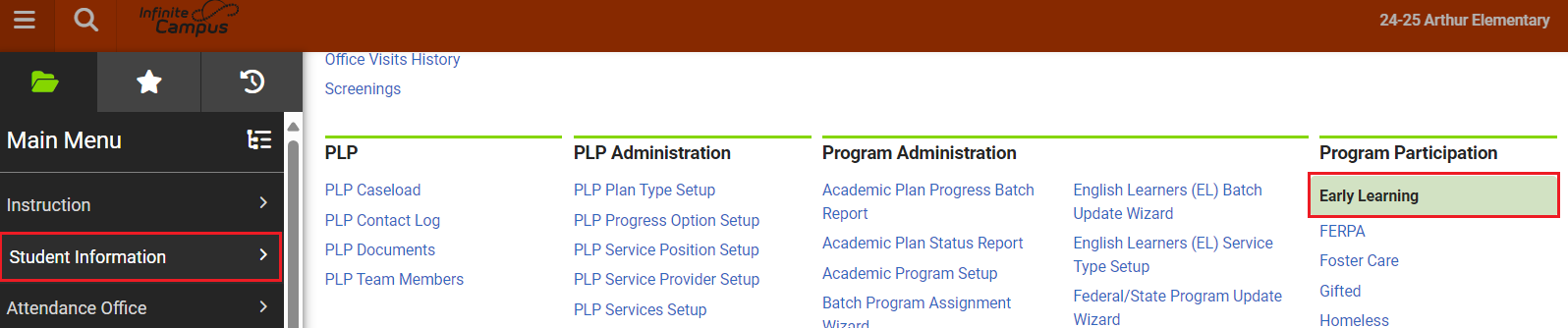
Early Learning Program Entry
Navigation: Menu > Student Information > Program Participation > Early Learning
When a student is eligible for an Early Learning program enter the student into the program using the following steps.
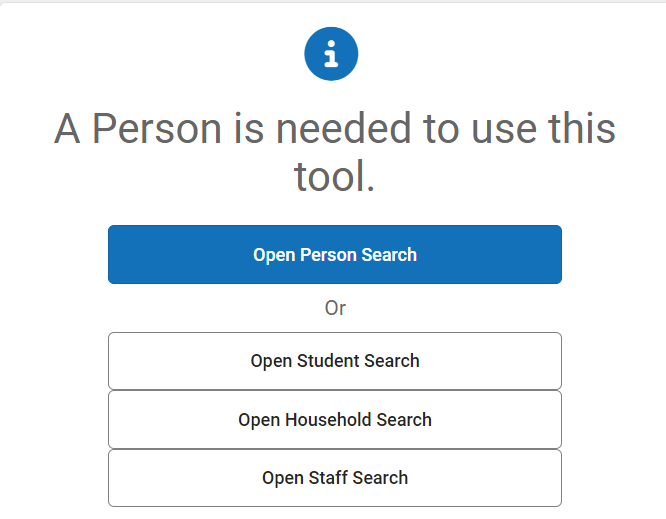
Select a Student: If a student is not selected, click Open Student Search tool to search by the student's name. Search for students using advanced searches or Ad Hoc Filters as needed. Select the student's name to open the Early Learning Program tool. If a student was already selected, the Early Learning Program tool will open automatically.
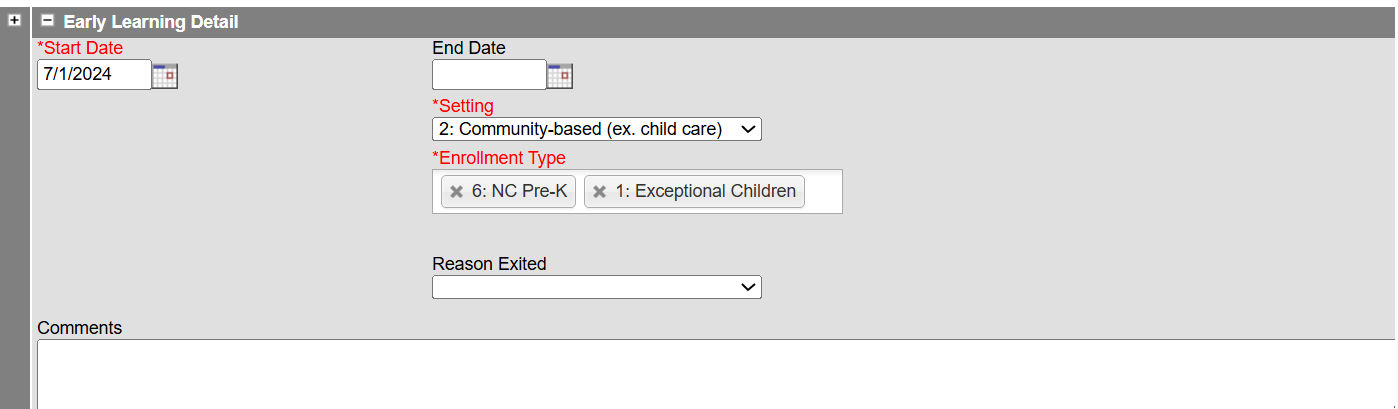
- Click New to add a new program.

- Enter the Start Date in MM/DD/YYYY format or click the calendar icon to select the date.
- Select the Setting from the dropdown list.
- 1: Home-based (child's home)
- 2: Community-based (ex. child care)
- 3: Center-based (operated by PSU)
- 4: School-based (K-12 school building)
- 5: CTE Early Childhood Preschool classroom (operated by PSU)
- 6: Exceptional Children Service Provider Location
- 7: To be determined
- Select the Enrollment Type from the list. Select all types that apply.
- 1: Exceptional Children
- 2: Exceptional Children Itinerant
- 3: Title I
- 5: Early Head Start
- 6: NC Pre-K
- 7: Childcare Subsidy
- 8: Local Government
- 9: Fee-Based
- 10: CTE Preschool
- 11: Smart Start
- 12: Private Grant
- 13: Other
- Click Save to add the program.


After saving the program, the program will appear in the student's Early Learning tool.

Early Learning Program Exit
Navigation: Menu > Student Information > Program Participation > Early Learning
When a student is no longer eligible for services, exit the student from the program using the following steps.
Select a Student: If a student is not selected, click Open Student Search tool to search by the student's name. Search for students using advanced searches or Ad Hoc Filters as needed. Select the student's name to open the Early Learning Program tool. If a student was already selected, the Early Learning Program tool will open automatically.
- Click the existing early learning program to open the program information.
- Enter the End Date in MM/DD/YYYY format or click the calendar icon to select the date.
- Select the Reason Exited from the dropdown list.
- 1: Withdrawal by a parent (or guardian)
- 2: Family refused services
- 3: Attempts to contact the parent and/or child were unsuccessful
- 4: Never attended
- 5: Age eligible for kindergarten
- 6: Transferred to another district or school, known to be continuing in program/service
- 7: Transferred to another district or school, not known to be continuing in program/service
- 8: Moved out of State
- 9: Not eligible for Part B
- 10: Part B eligibility not determined
- 11: No longer receiving special education
- 12: Program discontinued
- 13: Unknown reason
- 14: Died or is permanently incapacitated
- 15: Other
- Click Save to end the program.
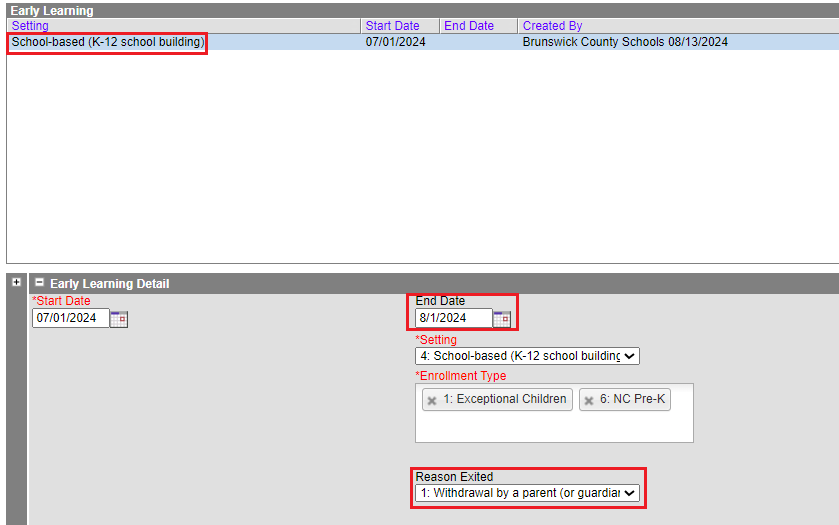
The program information will be listed in the Early Learning program tool. Click the program to see details regarding the program.

The Early Learning Program should be ended for pre-k students who will transition to kindergarten the next school year. The program would be ended by selecting an end date and choosing a "Reason Exited".

